Stonex STX-DIG 3D Pro · Excavators
Move the machine.
Keep the grade.

SMC-TWO GNSS receiver
NTRIP or UHF corrections
DXF & XML designs
STX-Cloud project sync

Why 3D
The difference isn’t
accuracy. It’s tracking.
Sales conversations about 3D usually get framed around precision, which is misleading — a well-calibrated 2D system is accurate too. The real difference is what happens when the machine moves.
On 1D and 2D, height is carried from a reference point or a laser plane. Track the excavator twenty metres down the trench and somebody has to re-establish that reference before the operator can trust the screen again. On a long run, in a big pad, or across a site with several levels, that becomes the job.
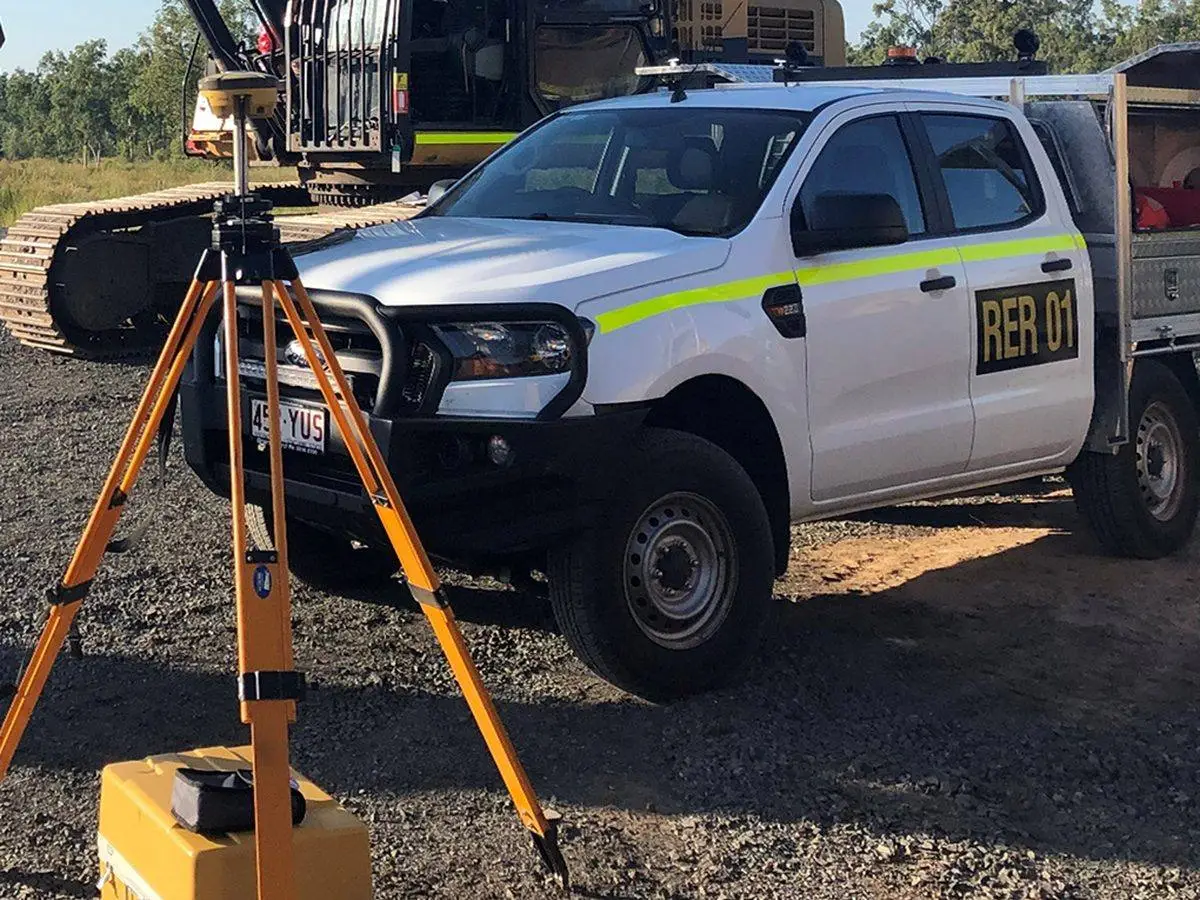
3D Pro removes it. The SMC-TWO receiver, running dual antennas on NTRIP or UHF corrections, gives the system position and heading anywhere on site. The operator tracks, sets down, and keeps digging. Nothing to re-reference, nothing to recalibrate, and the design is still underneath the bucket.
See it working
Watch the terrain
model in use
What it adds
What 3D Pro puts on
top of a 2D machine
SMC-TWO GNSS
NTRIP or UHF
DXF and XML
Built on the tablet
STX-Cloud sync
Remote connection
Tilt-rotator via CAN
No re-referencing
Designs
The file the engineer
sent you, on the machine
Two ways to tell it
what you’re building
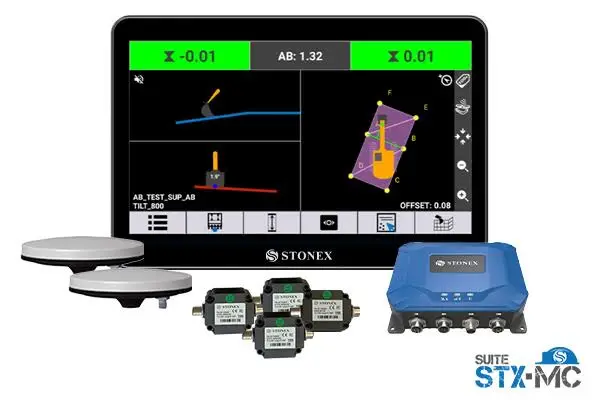
Most of the time the design already exists — someone has issued a DXF or an XML and it currently gets translated into pegs, string lines and a supervisor’s explanation. 3D Pro takes the file directly.
The rest of the time there is no design, because it’s a drainage run or a pad and nobody produced a model for it. STX-MC builds those on the tablet in a few minutes.
- DXF and XML import — dig to the surface the engineer actually issued
- Flat surface and flat area for pads and hardstands
- Surface from A to B where you need a fall between two known points
- Trench drainage with the invert and grade entered on the machine
- Terrain model for anything with genuine shape to it
- Four machine profiles per display, so a tablet can move between machines without recalibrating
Attachments
What it will take,
and what it won’t
Ask about the machine
before the price
- Dual boom — yes, with the optional dual boom sensor fitted
- Tilt bucket — yes, with the optional tilt sensor. Supported on 2D and 3D Pro, not on 1D
- Tilt-rotator — yes, on 3D Pro only, and only where the machine has a factory-fitted rotation sensor and ECU, connected through a dedicated CAN bus cable. Retrofitting that is a different project
- Laser sensor — optional and still available, though 3D removes most of the reason to use one
- Swing boom — not yet. Stonex has it in development, but it isn’t supported today. If your machine has one, that’s the first thing to tell us
Fitting it
From quote to
digging to design
Scope
Mount
Power & CAN bus
Calibrate
Validate & train
Cost & upgrade path
Already on 1D or 2D?
You’re most of the way
Add the receiver,
keep everything else
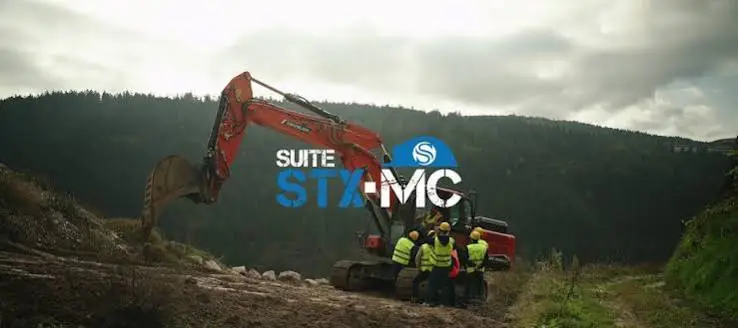
Going from 2D to 3D Pro means adding the SMC-TWO receiver, cables and supporting components. The sensors, Apollo tablet, software licence and cabling stay on the machine and keep doing their job.
- Staged fleet rollout — put 3D on two machines, run a quarter, then decide about the rest
- Flexible payment terms arranged around project cycles rather than a fixed schedule
- Rent-to-purchase for project work, so one job can carry the cost
- Trade-in off older equipment, and volume pricing across multiple machines
- Mixed fleets are normal — 2D on the trenching machines, 3D on the ones moving volume
Common questions
Before you call
Freedom to move. On 2D, height is carried from a reference point or a laser plane, so every time the machine tracks somebody has to re-establish it. 3D Pro uses the SMC-TWO receiver on corrections to know position and heading anywhere on site, so the operator tracks, sets down and keeps digging. It also lets you work to a design file rather than to depths and falls entered by hand.
Either an NTRIP stream over the mobile network, or UHF radio from your own base where there’s no mobile coverage. Which is cheaper depends entirely on where you work and how long you’re there — if you’re remote or moving often, your own base usually wins. It’s a real comparison and we’ll do it with you rather than default to selling hardware.
DXF and XML. If there’s no design file, STX-MC builds projects on the tablet: flat surface, flat area, surface from A to B, trench drainage and terrain model. In practice the harder problem isn’t the format — it’s having someone in the business set up to produce a clean surface. Worth sorting before the system lands.
Tilt buckets, yes, with the optional tilt sensor. Tilt-rotators, yes — but only on 3D Pro, and only where the machine has a factory-fitted rotation sensor and ECU connected via a dedicated CAN bus cable. If your tilt-rotator wasn’t factory-equipped that way, tell us early, because it changes what’s possible.
Not at present. Swing boom support is in development at Stonex but isn’t available today, so we can’t fit a working system to one. We’d rather say that now than after you’ve paid. If you’re running a mixed fleet, the other machines are unaffected — talk to us about doing those.
3D depends on a correction signal reaching the machine, so coverage has to be planned rather than assumed. In a genuinely GNSS-blocked environment — under a roof, indoors, or hard against a high wall — 2D is the better system, and we’d tell you so. On most open sites it’s a matter of getting the base or the network sorted properly at the scoping stage.
Send us the make,